EHR migration: why leaving your current system feels so hard

.webp)
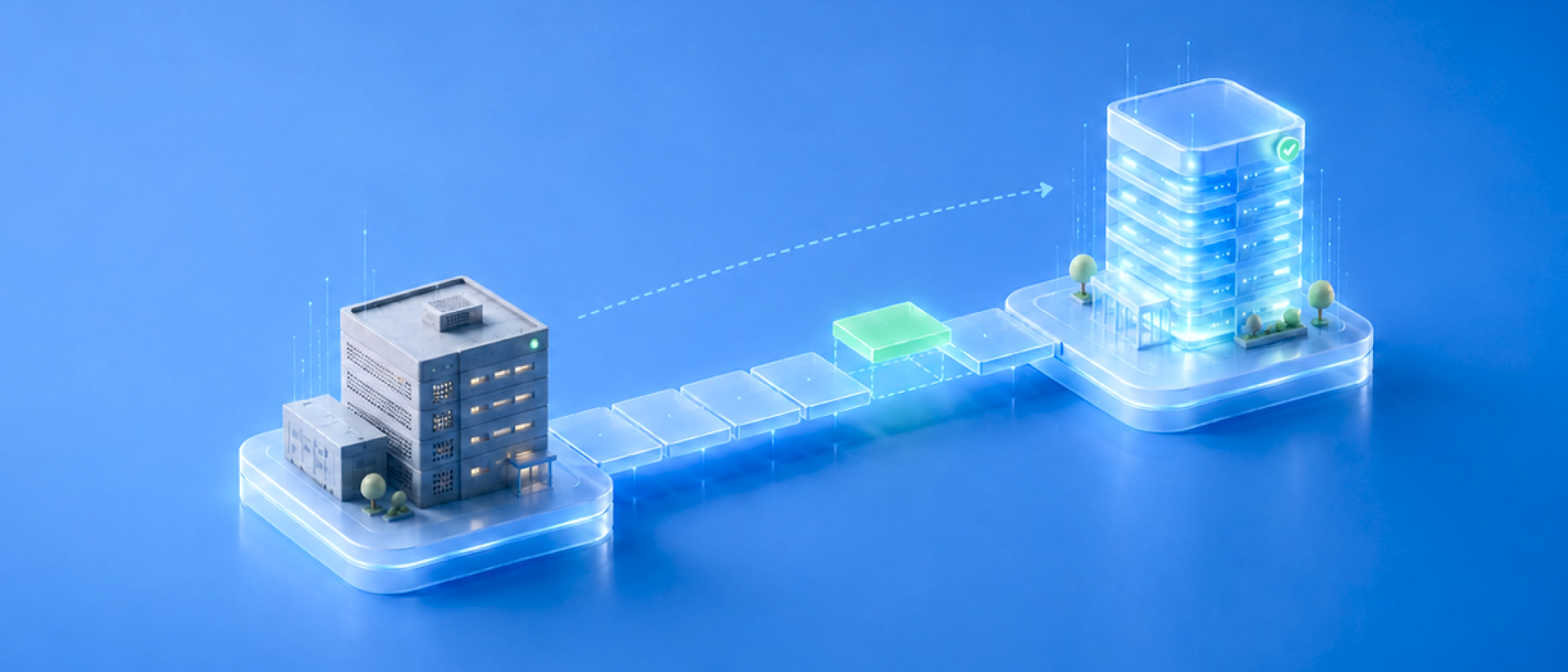
Most healthtech teams don't wake up one day and decide to replace their off-the-shelf EHR. They get pushed there slowly, a workaround here, a tool bolted on there… until the platform is doing less for the business than it costs to keep running.
And yet, most of them stay anyway.
The system doesn't still fit. What keeps teams in place is the alternative: pulling years of patient data, provider workflows, and scheduling logic out of a platform that was never built to let you leave. That uncertainty about what happens on the way out is the real lock-in of an off-the-shelf EHR, more than the product itself.
So what gets a team past that fear in the first place?
When is it time to leave your current EHR?
Teams rarely leave an EHR because they finally noticed its limits; they usually noticed those a while ago. What changes is that staying becomes more expensive than moving. Growth is the most common trigger.
Growth is the most common trigger. By the time a system starts fragmenting, patient data, scheduling, and clinical notes usually end up spread across the EHR itself plus a handful of spreadsheets and side tools stitched together to cover what the platform can't do, and no single system has the full picture anymore.
Sometimes the shift isn't about how much the system needs to handle, but who it needs to serve: a platform built for a single type of user has to expand to support multiple connected user groups with different clinical needs, and the legacy system simply wasn't built for that shape of workflow.
Even after a team has decided a move makes sense, the decision itself can stall for months. What tends to unblock it is a hard external deadline.
Nobody wants to pay for two systems in parallel, so a renewal date approaching has a way of turning "we should probably migrate at some point" into an EHR vendor switch strategy with an actual start date.
Deciding to go is one thing. Actually leaving is another, and this is where the fear that kept the team in place for so long turns out to be grounded in something real.
Why EHR migration feels harder than it should
Why is changing EHRs so hard when the limits are already obvious to everyone on the team? Because once a team's clinical and operational data lives inside a platform, everything gets built around it: staff habits, integrations, notification logic, even how appointments get rescheduled. That dependency is what off-the-shelf EHR vendors are counting on.
Most of these platforms don't make leaving easy, and it isn't always deliberate. Sometimes it's just the vendor's own API working against you. On one migration, the team pulled records for a given historical date range and logged the count: around 1,000 results.
Running that exact same query again about two months later, for that same historical window, returned around 1,500 results, even though nothing about that window should have changed. That kind of inconsistency makes it hard to trust that what you migrated is actually complete.
This is why switching costs feel bigger than they are on paper: the engineering hours are only part of it. The bigger cost is the operational risk of a transition period where two systems have to somehow both stay right at the same time.
The hidden costs of staying on a failing EHR system
Every extra quarter on a system that no longer fits comes with a cost that doesn't show up on an invoice.
Accumulated workaround debt
This is what fragmentation looks like from the inside: teams build workaround layers instead of fixing the underlying problem, a spreadsheet here, a project board repurposed as a care queue there, a manual step where an integration should exist.
Over time, this accumulates into its own kind of technical debt, except it's spread across tools, not just code. Every workaround is one more thing a legacy EHR system migration will have to account for later, and one more reason the team assumes leaving will be even harder than it already is.
Compliance and audit exposure
Workarounds also create some of the most overlooked electronic health records transition risks. When patient data lives partly in the EHR and partly in a spreadsheet or a repurposed project board, there's no single system of record to point to during an audit.
A field used for something other than its original purpose (a notes field standing in for a status the platform never supported, for example) is easy to explain to a teammate who's been there for years, and nearly impossible to explain to an auditor two years later, after that teammate has moved on.
What makes EHR data migration so difficult in practice
In practice, teams migrating off platforms like Healthie run into the same EHR migration challenges almost every time:
- Vendor exports are incomplete by design
A typical export gives you a one-time snapshot, not an ongoing sync. Anything created or updated after that export ships is gone unless you request another one, and some vendors only allow that once per plan. The export also tends to cover a narrow slice of "clinical data," while leaving out documents, lab results, or medication history that the business actually depends on.
- Vendor APIs are rarely documented well enough to trust blindly
“Healthie's API is versioned, and we ran into breaking changes between releases," says Pamella Bezerra, a staff software engineer at Vinta who led the data migration on a recent Healthie-migration-to-Medplum project.
"Data types weren't always consistent either: some date fields would return a date object, and other times you'd get a plain string for what was supposed to be the same kind of field. Filtering also behaved differently from one endpoint to the next. We used AI to help work through it, but there were still things we had to test empirically to understand how the data actually behaved."
- Legacy data models don't map cleanly to modern standards
A legacy system might have a dozen appointment statuses where FHIR expects a handful, or leave clinical terms uncoded where a FHIR-native system expects structured codes. Forms evolve over years. A birthdate field that used to store just a date suddenly needs a date and time, and historical records don't retroactively update to match. Every one of these mismatches is a decision: map it, simplify it, or leave it behind.
Clients almost always want to bring everything over. Scoping comes before any technical decision: counting what exists, sampling it, and going back to the client to separate what's actually used from what's a legacy hack nobody remembers the reason for.
Skipping this step is one of the most common EHR migration mistakes we see here at Vinta: teams commit to moving a full data model before confirming which parts of it anyone actually still relies on.
One worry we hear often turns out to matter less than expected. Usually there's no documented knowledge about how the features work, but that doesn't matter as much as people think.
Documentation of how the legacy system behaves only becomes important if the client wants to replicate a specific feature in the new system, and that's something the team uncovers during discovery, not a migration blocker.
None of this is a reason to stay put. It's an EHR migration planning problem, and it has a shape you can design around.
A phase-by-phase framework for de-risking your EHR transition
So how do you plan an EHR migration without putting patient care at risk?
The teams that get through this without a crisis don't migrate everything at once. They sequence it, following the same EHR migration best practices regardless of which platform they're leaving.
Here are the five steps our technical team follows to de-risk an EHR migration, in order:
1. Discovery and scoping
Before any technical decision, inventory what exists in the legacy system and how much of it there is: patient counts, encounter counts, document counts. On systems that have been running for years, that inventory also has to account for how the data model itself changed along the way: fields get deprecated in favor of new ones, new fields get introduced, and older records end up living in what are effectively different "versions" of the same resource type. Mapping logic has to account for all of those versions, not just the current one.
Counting what exists isn't the same as deciding what should move: not everything is worth bringing over as structured data in the new system. Older, rarely accessed records are sometimes better kept as unstructured references, like scanned documents, or left queryable in the legacy system itself instead of fully migrated. Bring the full inventory back to leadership as a plain summary, and use it to agree on what needs to move as structured data, what can move as reference material only, and what's dead weight nobody remembers the reason for.
2. Data mapping with traceability
For every migrated resource, keep the raw payload from the legacy system alongside an identifier pointing back to its original record. "We made sure every migrated resource had a field storing the raw response we got from Healthie, and an identifier pointing back to it," Pamella explains. "That made it easy to know which resource had been created by the migration, and to see exactly what the data looked like on the Healthie side at the moment it was created or updated on ours." This turns "why does this record look wrong?" from a guessing game into a two-minute lookup, and it makes historical audits possible long after the migration is done.
3. Priority sequencing
Patients come first. "You have to migrate all patients first, because how would you create medications, lab results, and everything else without a patient to link them to?" Pamella says. From there, prioritize the resources your team needs to validate in production: encounters, scheduling, the workflows people touch daily. Lab results, medication history, and documents can follow once the core clinical picture is confirmed working.
4. Staged execution
Run the migration in staging first, using test data so the transformation logic can be validated end-to-end before anything touches real patient records. Then migrate production data in small batches, during low-traffic windows, reporting each batch back so both leadership and end users can spot-check specific patients before the next batch runs.
Staged execution only works, though, if "staged" doesn't quietly turn into "stuck." One of the biggest risks teams worry about, with good reason, is ending up running two systems in parallel for months, with data only partially moved over. That's what a cutoff date is for: an agreed-upon last day the team will keep using the legacy system, followed by one final migration run that picks up whatever changed since the last batch. From that point on, the team operates fully on the new system instead of straddling both.
5. Controlled blast radius
"When you're migrating data, the biggest risk is finding out something's wrong only after everything has already been transformed," Pamella says. "That can hit the core of how users work day to day, and it can be a huge disruption if something goes really wrong. A phased approach is really about controlling how much damage any one mistake can do, batch by batch, instead of catching it after the fact."
In one migration, that discipline is what caught the problem early. A batch of appointment updates for a future date range accidentally overwrote provider assignments: a patient scheduled with one provider was suddenly booked with another who didn't even perform that type of procedure.
Automated notifications had already gone out to patients and providers, so the mix-up was real for a day. But because the batch was scoped to a single date range and checked against the client's own records before the next batch ran, the fix stayed contained to that window instead of spreading through the rest of the schedule. The same mistake in an all-at-once migration could have touched every future appointment in the system, not just one day's worth.
Migrate everything in one pass, and you find out something is wrong after the fact, at full scale, with your system already committed to it. That's the actual argument for a phased migration.
Is your team ready for an EHR migration?
Think of this as a lightweight EHR migration checklist: a few signals tend to separate teams that are ready from teams that are about to have a bad quarter.
Ready to move forward:
- You've scoped what data actually needs to migrate, based on real usage, not a request to bring "everything"
- You have API or export access good enough to sample and count records before committing to a plan
- You have a staging environment and an identified low-traffic window for production batches
- Every migrated record can be traced back to its legacy source
- Stakeholders and day-to-day users are available to validate small batches before you scale
Reason to pause and plan further:
- The vendor will only give you a single export with no way to catch what changes afterward
- Nobody has agreed on what counts as core data versus legacy workarounds
- There's no definition of what "done" looks like for a first phase
How Vinta helps health tech teams navigate complex EHR migrations
We've run this exact playbook more than once, as one of the EHR data migration services health tech teams call in when the transition can't afford to go wrong.
We helped Rewind migrate off Healthie onto a Medplum-based EHR built around their actual clinical workflows, and we used the same phased approach (starting with a communications hub and provider workflow layer before expanding into deeper clinical parity) on a related Healthie-to-Medplum transition.
If your team is stuck between "we know we need to leave" and "we don't know how to do it without breaking something," that's exactly the conversation we're built for, whether the goal is a full EHR migration or a broader EHR modernization effort.
We can help you scope the transition, prioritize what needs to move first, and build a phased plan with a realistic EHR migration timeline and steps: a healthcare data migration solution shaped around your system, not a template.
FAQ
What is EHR migration and why is it so complex? EHR migration is the process of moving clinical, operational, and administrative data from one electronic health record system to another. It's complex because the data isn't just moving; it has to be mapped, cleaned, and re-validated against a different data model, all while the care team keeps using a system that can't go down. A solid EHR data migration strategy accounts for that constraint from the start, rather than treating it as an afterthought.
How long does an EHR migration typically take? It depends heavily on data volume and how much of it needs cleanup, but most real-world migrations run in weeks, not days, and happen in stages rather than a single cutover. A migration involving hundreds of thousands of historical records, for example, is typically phased across several weeks of batches rather than attempted in one pass.
What are the biggest risks of switching EHR systems? The biggest risks are data corruption during transformation, workflow disruption for care teams mid-transition, and patient-facing errors (like incorrect appointment or provider details) that erode trust if they reach production before being caught.
What data gets migrated during an EHR transition? Typically patients first, since almost every other resource depends on them, followed by core clinical workflow data like encounters and scheduling. Lower-priority data (lab results, medication history, and documents) usually follows in later phases once the core system is validated.
How is EHR migration different from EHR integration? Migration means moving data out of one system permanently so it can be retired. Integration means connecting two systems that will both keep running, exchanging data on an ongoing basis. Migration projects often involve integration-style problems in the transition period, but the end goal is different: one system stops being the source of truth.
Should you migrate all historical data to a new EHR system? Not always, and not all at once. Teams often assume they need everything, but a scoping step, counting what exists and confirming actual usage with stakeholders, usually reveals data that's safe to archive separately rather than migrate into the new system's live data model.
How do you reduce risk during an EHR migration? Migrate in stages: validate in a staging environment first, then run small production batches during low-traffic windows, and have both stakeholders and day-to-day users check specific records before scaling up. This limits how much damage any single error can cause, instead of discovering problems after the entire dataset has already moved.


